
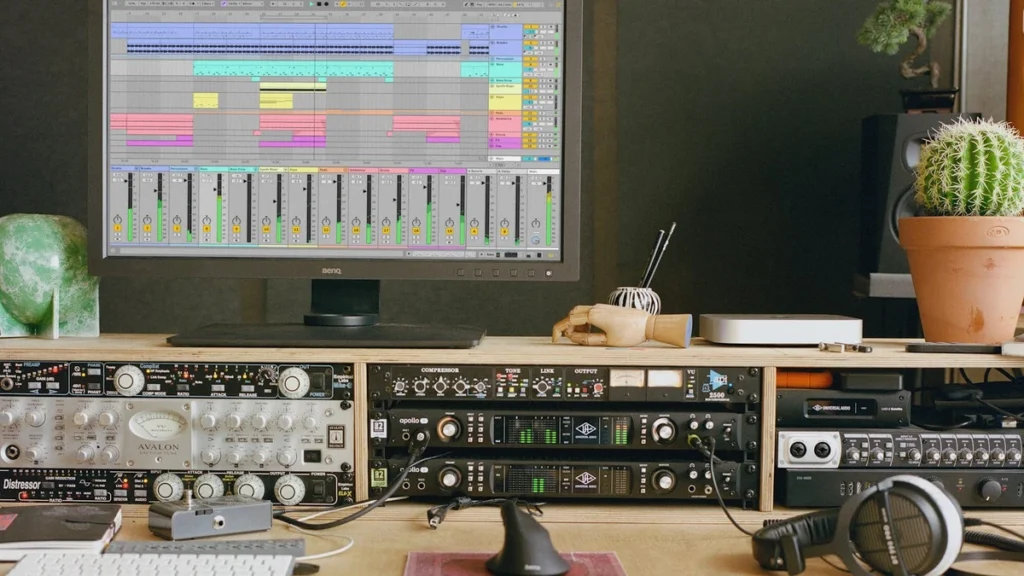
For most of the last five years, pulling an acapella out of a finished record meant handing that record to somebody else’s computer. You uploaded the file, a cloud service processed it, and you downloaded four stems back. Ableton Live stem separation changed that arrangement: the same job now happens locally, and the audio never leaves the machine.
That is a workflow detail with a business edge. For an independent artist sitting on unreleased material, where a file goes is not a footnote.
What Actually Runs on Your Machine
Stem Separation arrived in Live 12.3 on 25 November 2025, available in Live 12 Suite. It splits any audio into vocal, drum, bass and instrumental parts. The underlying model comes from MusicAI, the team behind Moises, and it runs entirely offline on your own computer, with nothing uploaded anywhere.
The same release put the Splice library inside Live’s browser for subscribers, including a Search with Sound function that takes a clip from your project and suggests loops matching its groove or harmony. Ableton has kept iterating on that integration since; the 12.4.3 release notes of 14 July 2026 log an updated Splice installer.
Between those two features, two habits that used to involve leaving the DAW – hunting samples in a browser tab, and farming out separation to a web app – moved inside the session window.
What producers reach for it for is unglamorous and constant: lifting a clean acapella out of a finished record for a remix, stripping the drums or bass out of a sample so it stops fighting the low end of your own track, isolating a single part to convert it to MIDI, and generally pulling a reference apart to see how it was built. None of that is new work. What is new is that it no longer interrupts the session.
Why the Upload Step Was Never Neutral
The cloud model worked, and for many producers it still does. But it carried an assumption that is now under more scrutiny than it was in 2021: that sending a finished, unreleased master to a third-party server is a routine thing to do.
Artists have spent the last two years arguing about what happens to recordings once they sit on someone else’s infrastructure, and independent artists carry that exposure alone, with no label legal team reading the terms. Our guide to AI music licensing covered the same underlying question from the rights side.
Local processing does not resolve any of that debate. It does remove one specific transaction from a producer’s week, which for a self-releasing artist is a straightforward reduction in surface area.
The Update That Made It a Real Workflow
Version 12.3 was the announcement. Version 12.4, released on 5 May 2026, is what turned it into something you use without thinking.
The official release notes list a Separate Stems for Time Selection command in the Arrangement View context menu, so you can split only the bars you highlighted rather than a whole clip. Separation also now processes only the audible portion of a clip as defined by its start and end markers, which cuts the wait.
Exported stems retain the bit depth of the source material, and Live now warns you before starting if there is not enough disk space. Earlier, in 12.3.7 on 13 April 2026, Ableton added GPU-accelerated separation on macOS 26.4 and above.
The same update rebuilt other parts of the application around the assumption that people learn Live inside Live: a new Learn View replaced the old Help View with structured video-and-text modules that can be updated independently of Live releases. Read alongside the stem work, the direction is consistent – fewer reasons to open a browser tab in the middle of making something.
The Checkbox That Builds an Instrumental
The most practical addition in 12.4 is easy to miss in a changelog. A Merge to Single Track checkbox in the Separate Stems dialog combines the stems you selected into one clip on a new audio track after separation finishes.
Ableton’s own example is the one every remixer and every act playing to backing tracks needs: merge the Drums, Bass and Others stems while leaving Vocals unselected, and you have an instrumental. The checkbox only becomes available when two or three of the four stems are selected, not one and not all four.
That is the difference between a feature and a tool. Four separate stem tracks are raw material you still have to assemble; a single instrumental clip is a deliverable – the backing track for a live set, the bed for a radio edit, the instrumental version a sync brief asks for.
How It Compares With Logic Pro
Ableton is not alone here, and the comparison is worth making honestly. Apple’s Stem Splitter in Logic Pro separates six categories rather than four – drums, bass, vocals, guitar, piano and other instruments – which gives finer control on arrangements with distinct keyboard and guitar parts.
The pricing routes differ more than the features do. Logic Pro is sold as a standalone app at 199.99 pounds or inside the Apple Creator Studio subscription at 12.99 pounds a month or 129 pounds a year, with student and educator pricing at 2.99 pounds a month. It requires macOS 15.6 or later and an Apple silicon Mac. Ableton’s separation is part of Live 12 Suite and arrived as a free point update to existing owners.
Neither is the obvious winner. A producer already inside Logic gets more stem categories; a producer already inside Live gets time-selection separation and merge-to-instrumental. The switching cost between DAWs is far larger than the gap between the two implementations.
The gap that matters to a working producer is therefore not accuracy but placement. Ableton Live stem separation sits in the Arrangement context menu next to Consolidate and Freeze, which is where the decision to use it actually gets made – mid-arrangement, on a deadline, without opening anything else. A better model that lives two applications away loses to a good model that lives one right-click away.
What This Removes From the Monthly Bill
The commercial shift is that separation stopped being a product and became a menu item. A standalone separation subscription now has to justify itself against something a producer already owns, which pushes those services toward what a DAW does not do – batch processing, mobile capture, practice tools, generation.
For a self-releasing artist auditing their spend, the practical question is narrow: if the only reason for a separation subscription was pulling acapellas and instrumentals out of finished tracks, and the DAW now does that locally, the line item is hard to defend. If the reason was anything else, it probably still stands.
There is a second-order effect worth watching. Because Ableton Live stem separation is bundled rather than metered, there is no per-track cost to reaching for it, and unmetered tools get used differently from metered ones. Producers who rationed uploads when each one cost credits will separate far more freely now, which over time changes what a sample-based record sounds like more than any single feature announcement does.
What has genuinely changed is the default. Sending an unreleased master to a server used to be the normal way to do this job. It is now the optional way.
This article was AI-assisted and edited for accuracy.
About The Author